Kimpa Free
Secure essentials for one user.
Free
No monthly charge
Create free accountIncludes:
- 1 mailbox
- 1 custom domain
- 5 GB storage per user




 Kimpa
KimpaKimpa Team, Docs, Sheet, and Present are now part of every Kimpa plan. See what's new.
Kimpa Calendar
Plan meetings, find a time that works for everyone, and keep your tasks, notes, and reminders next to the events they belong to. On the web, desktop, and mobile.
Download the app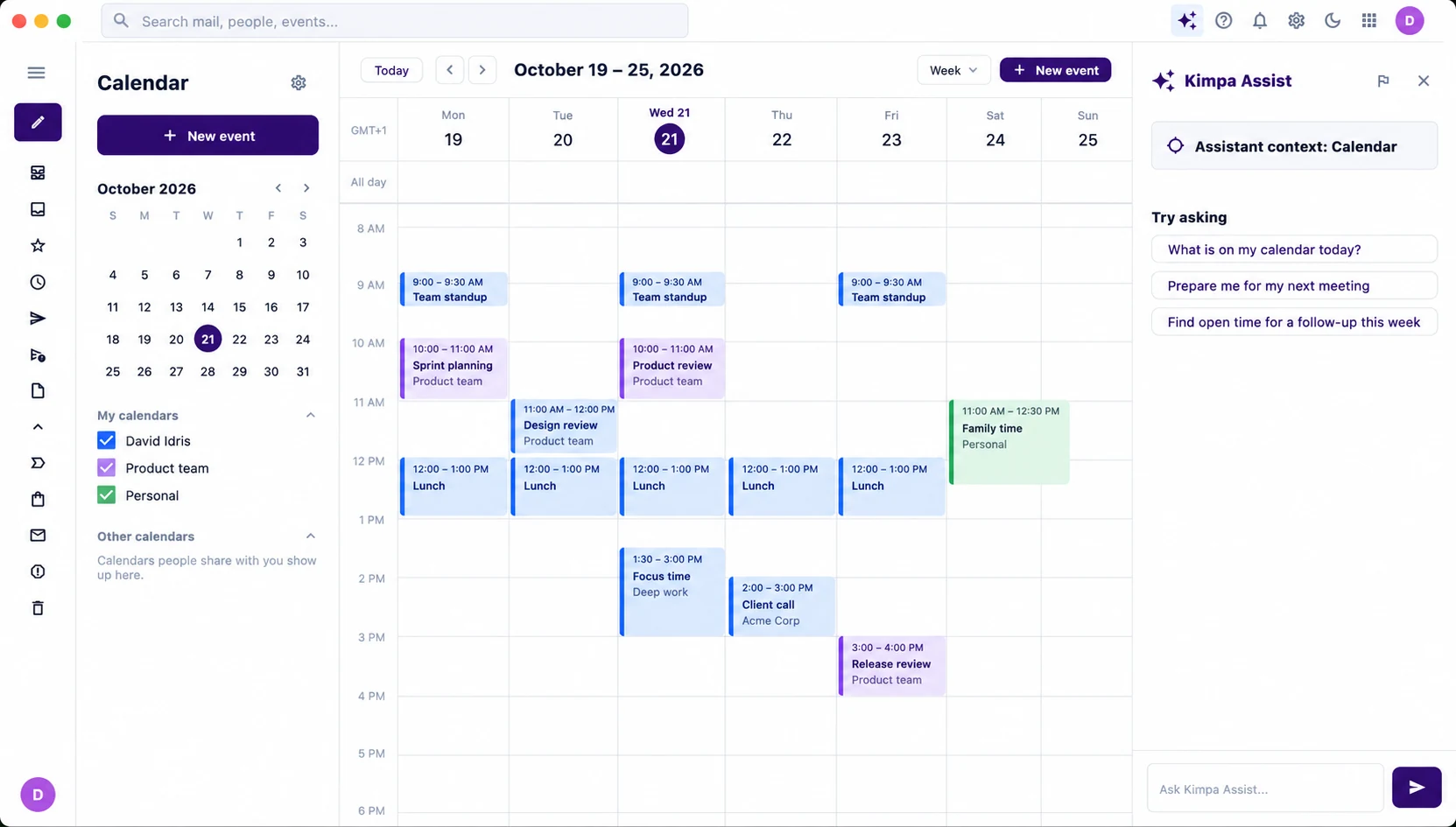
Overview
Switch between day and week views, with every meeting, its time, and its place laid out, and a line that marks the current time.
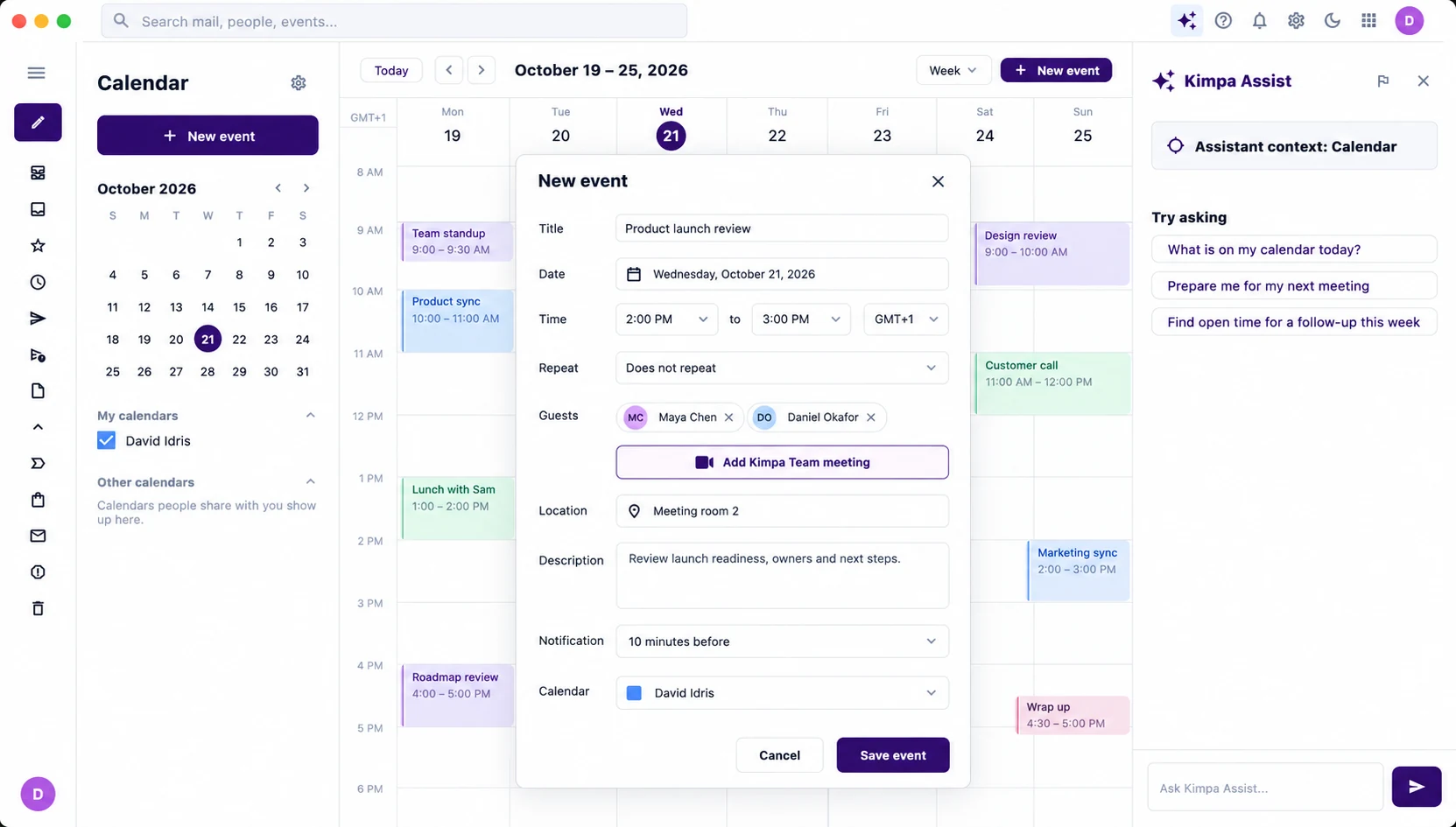
Create an event with guests, a location, a reminder, and its time zone, and add a Kimpa Team meeting so everyone can join the call.
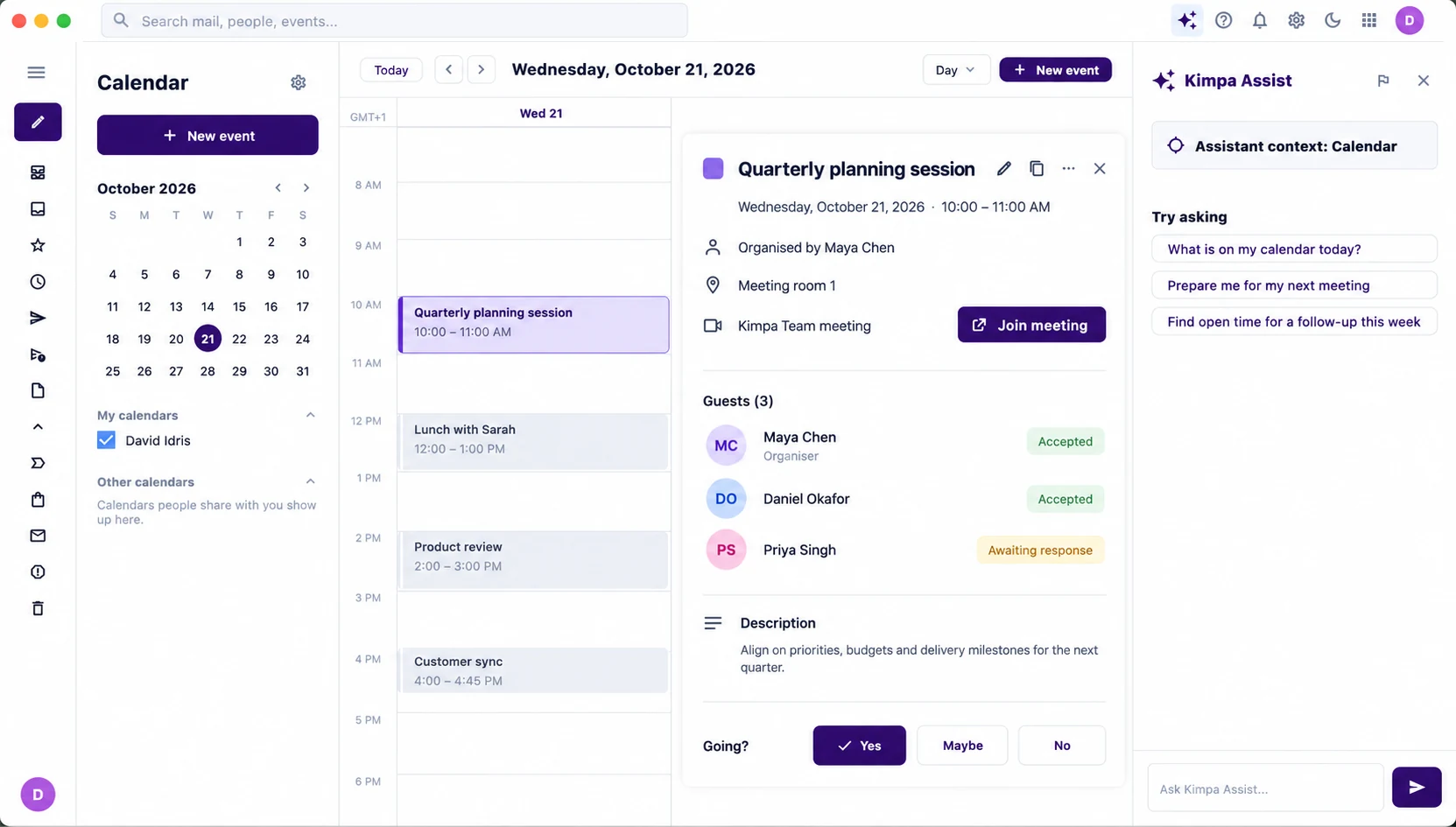
Open an event to see who has accepted, reply yes, maybe, or no, and join the Kimpa Team meeting in one click.
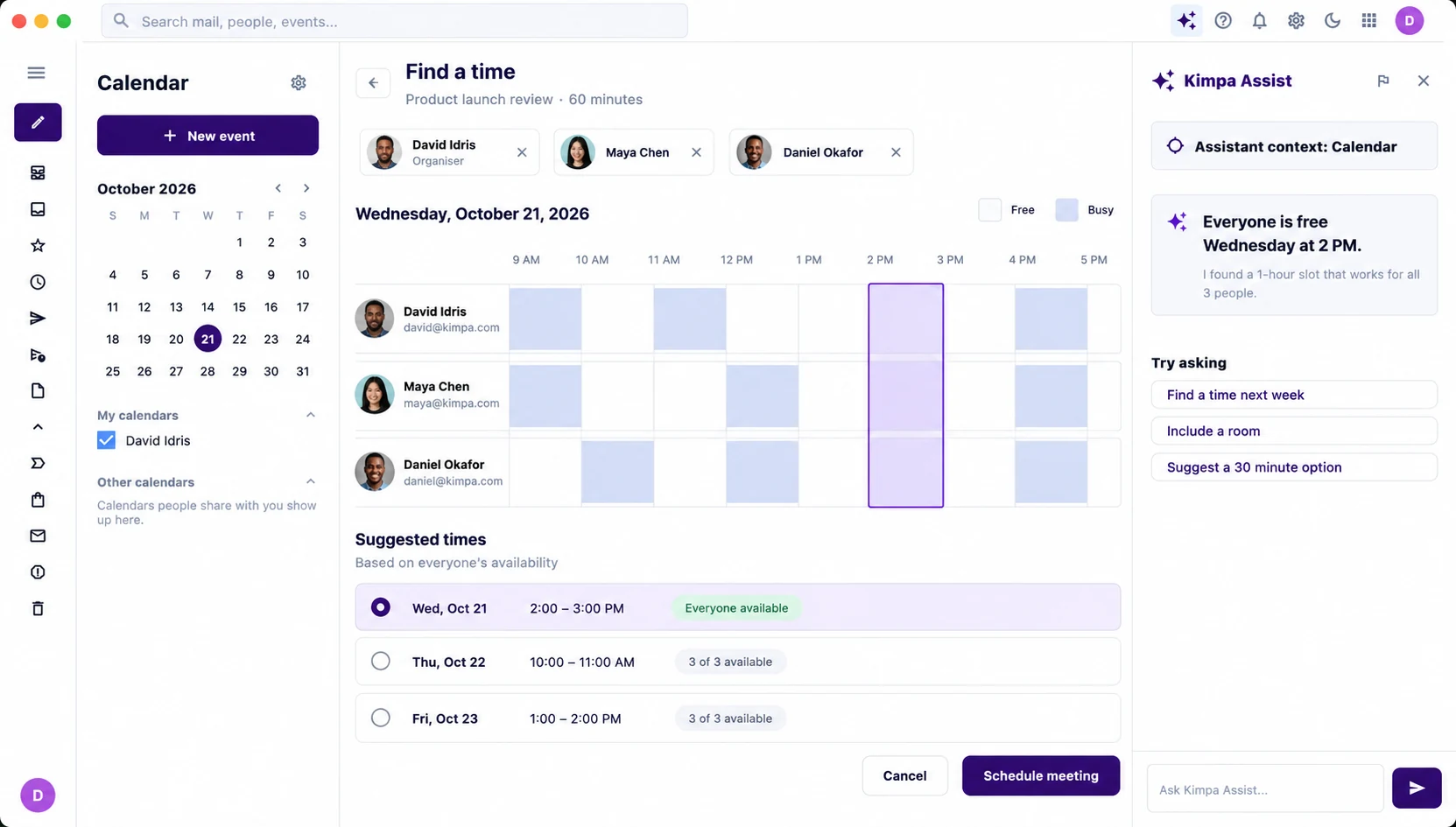
See your guests' free and busy times side by side, then pick from suggested times when everyone is available.
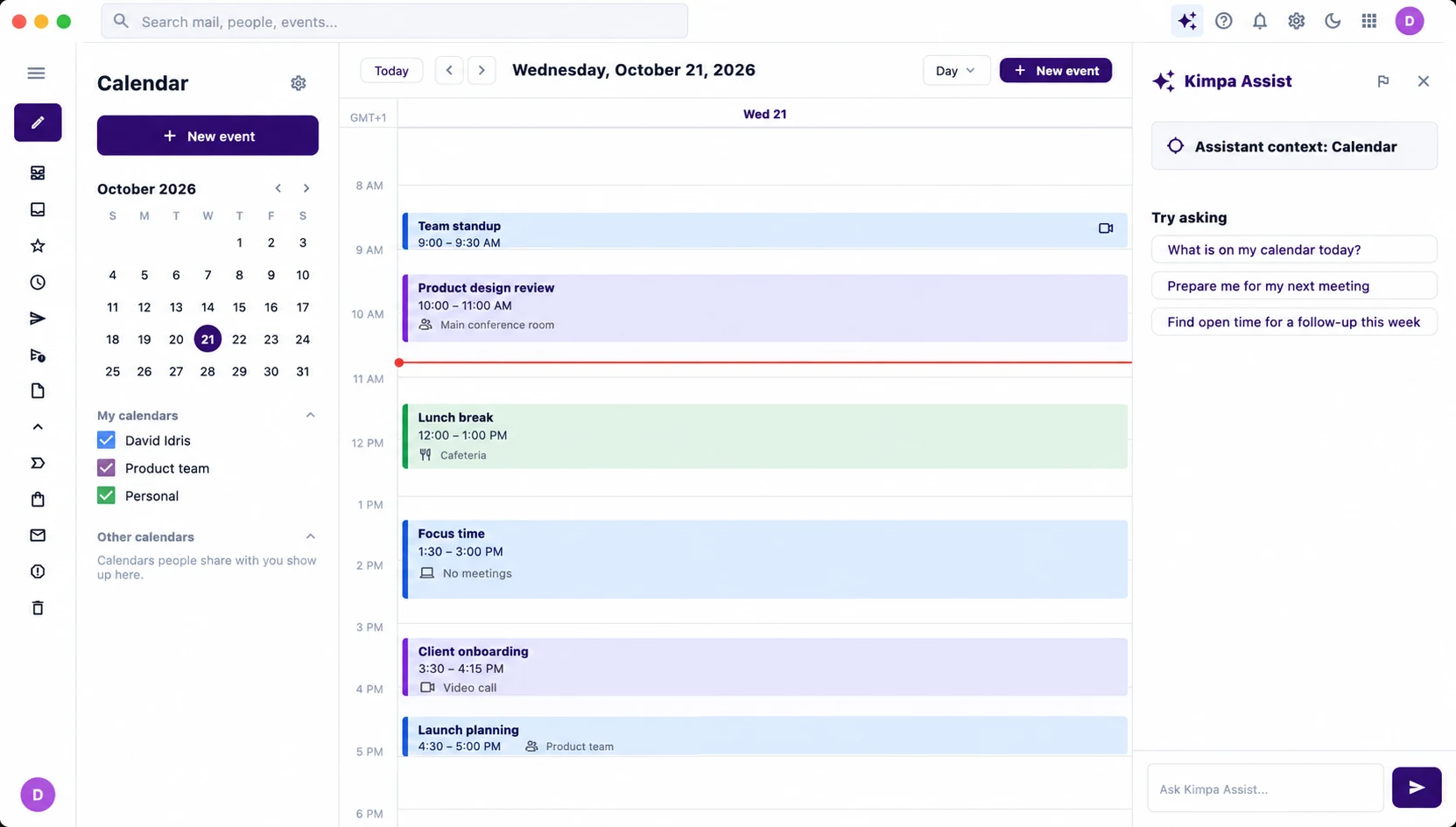
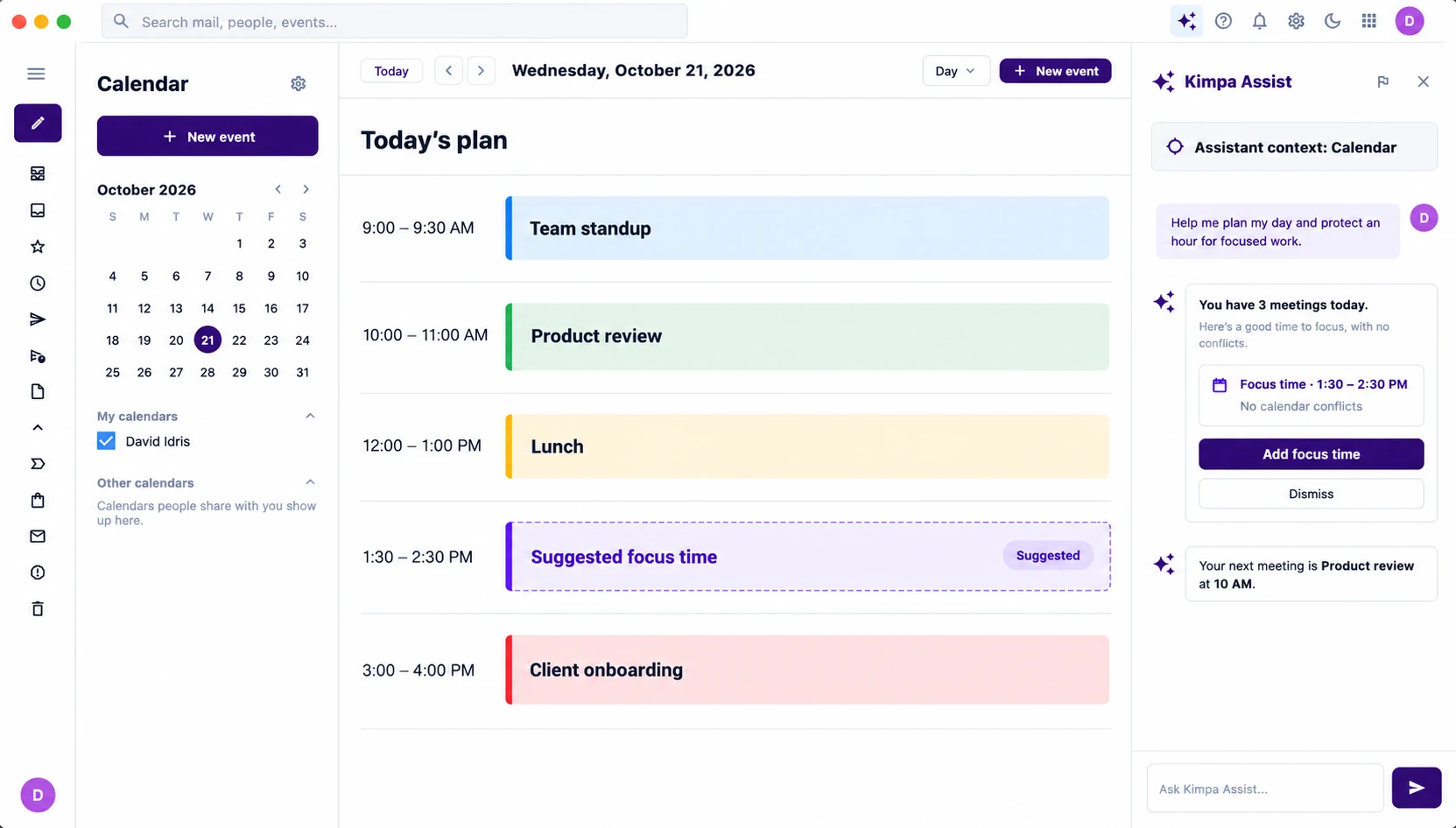
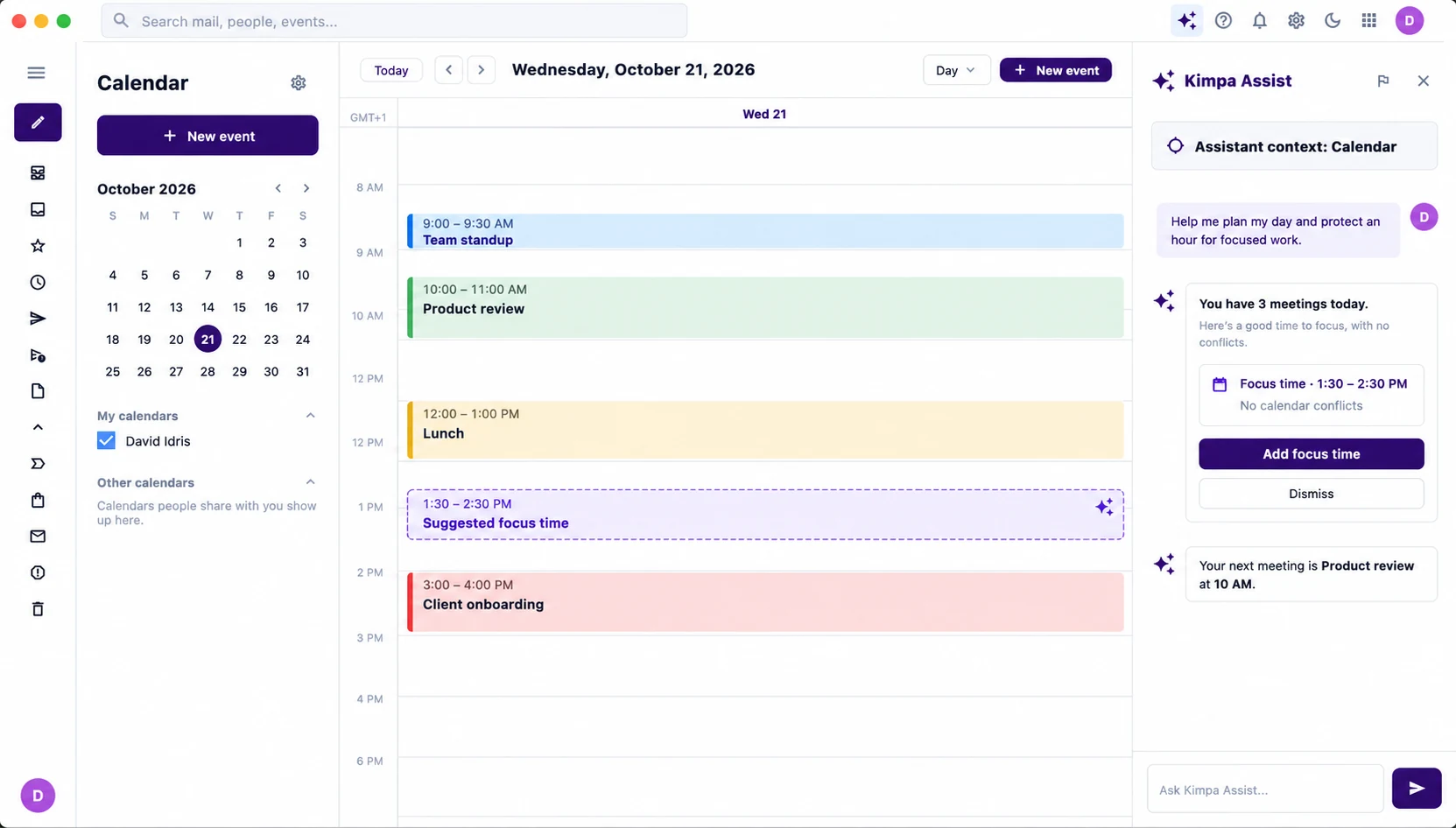
Ask Kimpa Assist to plan your day, and it finds time for focused work around your meetings. It only runs when you ask.
See the day laid out, with an hour of focus time suggested where nothing clashes
The suggested focus time appears on your timeline, ready to add or dismiss
Plans
Secure essentials for one user.
Free
No monthly charge
Create free accountIncludes:
Business email on your domain for small teams.
$0.99/mo
$0.99 per mailbox a month for your first 6 months, then $1.99
Buy nowKimpa Core includes:
More storage, more Kimpa Assist tokens, and larger calls.
$3.99/mo
per user / month
Buy nowKimpa Growth includes:
Retention controls, legal hold, and recorded calls.
$7.99/mo
per user / month
Buy nowKimpa Pro includes:
Custom security, scale, and compliance.
From $12/mo
per user / month, by contract
Contact salesKimpa Enterprise includes:
Every plan includes every Kimpa app, impersonation and fraud warnings, and spam and malware filtering. Showing the Kimpa Verified badge costs $4.99 per verified domain a month on any plan, and is included with Enterprise.2 Compare all plans, including Education.
Kimpa Calendar runs in the browser and in the Kimpa apps for desktop and mobile, with the same account on every device.
Open your calendar at calendar.kimpa.io. Nothing to install.
Open Kimpa CalendarKimpa 2.3.4 for Mail, Calendar, Contacts, and Drive. Universal app for Apple silicon and Intel Macs.
Download for MacKimpa for Mail, Calendar, Contacts, and Drive, from the Microsoft Store. For Windows 10 and 11 (64-bit).
Get it from MicrosoftKimpa for iOS and iPadOS from the App Store.
Open App StoreThe signed Kimpa app for Android phones and tablets.
Download Android APKMore Kimpa apps
Kimpa Mail
Business email on your own domain, with the sender in plain view.
Learn more about Kimpa MailKimpa Team
Channels, direct messages, and calls started from the conversation.
Learn more about Kimpa TeamKimpa Contacts
Personal and shared contacts for the whole organization.
Learn more about Kimpa ContactsKimpa Drive
Files under your organization's ownership and access rules.
Learn more about Kimpa DriveKimpa Docs
Open and edit .docx files. Changes save to Kimpa Drive.
Learn more about Kimpa DocsKimpa Sheet
Open and edit .xlsx files with version history.
Learn more about Kimpa SheetKimpa Present
Open and edit .pptx files and present from any device.
Learn more about Kimpa Present
Kimpa Assist
Writing help in Kimpa, only when you ask for it.
Learn more about Kimpa AssistKimpa Calendar holds your events, tasks, notes, and reminders, so the next step sits next to the meeting it belongs to.
Yes. When you create an event, choose Add Kimpa Team meeting to include a Kimpa Team call.
Use Find a time to see your guests' free and busy times side by side, with suggested times when everyone is available.
Yes. Calendars people share with you appear under Other calendars, and you can show or hide each of your calendars, such as a team or personal calendar.
Yes. Kimpa supports a staged migration that moves mail, contacts, and calendars from your current provider.
Kimpa Calendar runs at calendar.kimpa.io and in the Kimpa apps for macOS, Windows, iPhone, iPad, and Android.
Every Kimpa plan, including Free, includes Kimpa Calendar with Mail, Contacts, Drive, and Kimpa Team.
Create a free accountBring mail, contacts, and calendars across in a staged transfer, and check the result before you switch.
Plan your migration